Can You Land A Plane Getting Started Guide
Land the jet, earn Student Pilot I, and start the job-and-license loop in your first sessions.
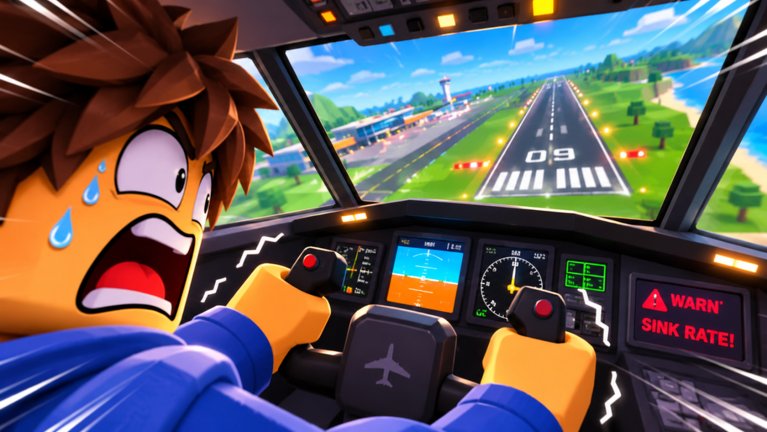
Welcome to Can You Land A Plane, the Roblox experience from Zzz Inc where the captain falls asleep and you have to finish the flight. This getting-started guide covers your first hour: surviving the opening landing, claiming Student Pilot I, learning where cash comes from, and planning the path toward better licenses and planes. The game supports all devices, fills servers up to 12 players, and already passed roughly 1.3 million visits since its release on 6 November 2026.
If you only remember one sentence, remember the core loop: land → Student Pilot I → flying jobs for cash → flight tests (including the storm exam for Student Pilot II) → higher licenses → better planes → Eris collector endgame.
Before you press Play
- Open the official place from the Links Hub so you do not join a clone.
- Optionally join the Zzz Inc group for announcements and any group reward claims.
- Skim Controls if you are on mobile or gamepad — default camera plus sensitive pitch can ruin first flares.
- Expect co-pilot help and ATC callouts once you start hopping islands; crew etiquette lives on the Players Hub.
Like ratio sits near 84%, so most players who stick past the first crash enjoy the fantasy. Crashes are part of training, not a reason to hunt unsafe scripts.
Minute-by-minute first session
1. Survive the emergency landing fantasy
The pitch is simple: someone has to land this thing. Follow on-screen prompts, keep the nose under control, and prioritize runway alignment over fancy banking. If you bounce, go around when the game allows — forcing a bent landing teaches panic. Deep technique is in How to Land.
2. Claim Student Pilot I (and the Flight Academy path)
After you prove you can put rubber on pavement, the Student Pilot I badge/license opens. Treat it as your ticket to paid work. Next major exam gate is Student Pilot II — a license test through the storm (see Weather Landings and Badges). Exact HUD copy can shift after patches (see Updates), but the order stays: land first, academy path next, jobs after.
3. Find the job board
Early cash should come from legitimate flying jobs — cargo, passengers, crop dusting, rescues — not from fake promo generators. The Jobs guide explains each contract type. While no public codes are confirmed yet, still check the Rewards panel for like/favorite/group claims described on the Codes Hub.
4. Bank for the next test, not the flashiest livery
Paint jobs look great on the ramp. Flight test fees and a retry buffer matter more. The Tier List ranks licenses and airframes by progression value so you do not stall on a pretty fuselage you cannot legally fly.
Overview video
Watch a basic overview of the Zzz Inc experience, then come back to the checklist below. (One video only on this page.)
First-week goals checklist
- One clean landing without freezing on the flare
- Student Pilot I secured and understood
- Controls rebound for your device
- At least one cargo or passenger job completed
- Cash reserved for the next flight test
- One session with a friend as co-pilot or ATC buddy
- Liveries purchased only after the test buffer exists
Systems you will touch early
| System | Why it matters on day one |
|---|---|
| Landing physics | Gates everything else |
| Student Pilot I | Opens the career path |
| Jobs | Cash for tests and planes |
| ATC / co-pilot | Softens busy island traffic |
| Weather & night | Optional challenge — unlock after calm practice |
| Liveries | Cosmetic only |
Night, storms, and crosswinds are part of the marketed feature set. They are terrible first tutors. Master clear-weather finals before you brag in chat.
Common beginner mistakes
- Staring at the horizon and ignoring centerline
- Chopping power to idle too early and dropping short
- Holding full back-pitch through the flare and ballooning
- Spending all cash on paint before the next license exam
- Blaming “need scripts” instead of drilling patterns
- Ignoring ATC sequencing on a full 12-player server
Each mistake has a fix in How to Land or Controls.
Suggested reading order after this page
- Controls
- How to Land
- Jobs
- Licenses
- Tier List Hub
- Players Hub when friends join
Platform notes
Roblox performance varies. Lower graphics if frame drops hit your flare timing. On mobile, use a stable grip and consider a clip-on trigger if you struggle with pitch precision. Console players should deadzone-stick drift before calling the plane “broken.”
Accountability and safety
This wiki is unofficial. Patch timing follows Zzz Inc — latest facts list an update through 15 November 2026. We will not invent codes or scripts. If a stranger promises instant max license, close the whisper.
Related hubs
Land the plane. Earn the permit. Get paid to fly. Everything else is polish.
Frequently Asked Questions
Quick answers for landing, licenses, codes, and jobs.
What is the first goal in Can You Land A Plane?
Complete the opening landing challenge, then secure your Student Pilot I so you can start paid flying jobs.
How do I make cash as a beginner?
Take early flying jobs such as cargo or passenger runs. Save for flight tests before spending heavily on liveries.
Does the game support mobile and console?
Yes. It is built for all Roblox devices. Recheck the Controls guide for device-specific tips.
Are there codes I should redeem on day one?
No confirmed public promo codes exist yet as of November 2026. Still check in-game social reward claims and watch official channels.
Where should I go after Getting Started?
Controls, then How to Land, then Jobs and Licenses. Use the Tier List before big unlock purchases.
Is multiplayer required?
No, but servers hold up to 12 players and co-pilot/ATC tools help on tougher routes when friends join.